
Visual Site Builder
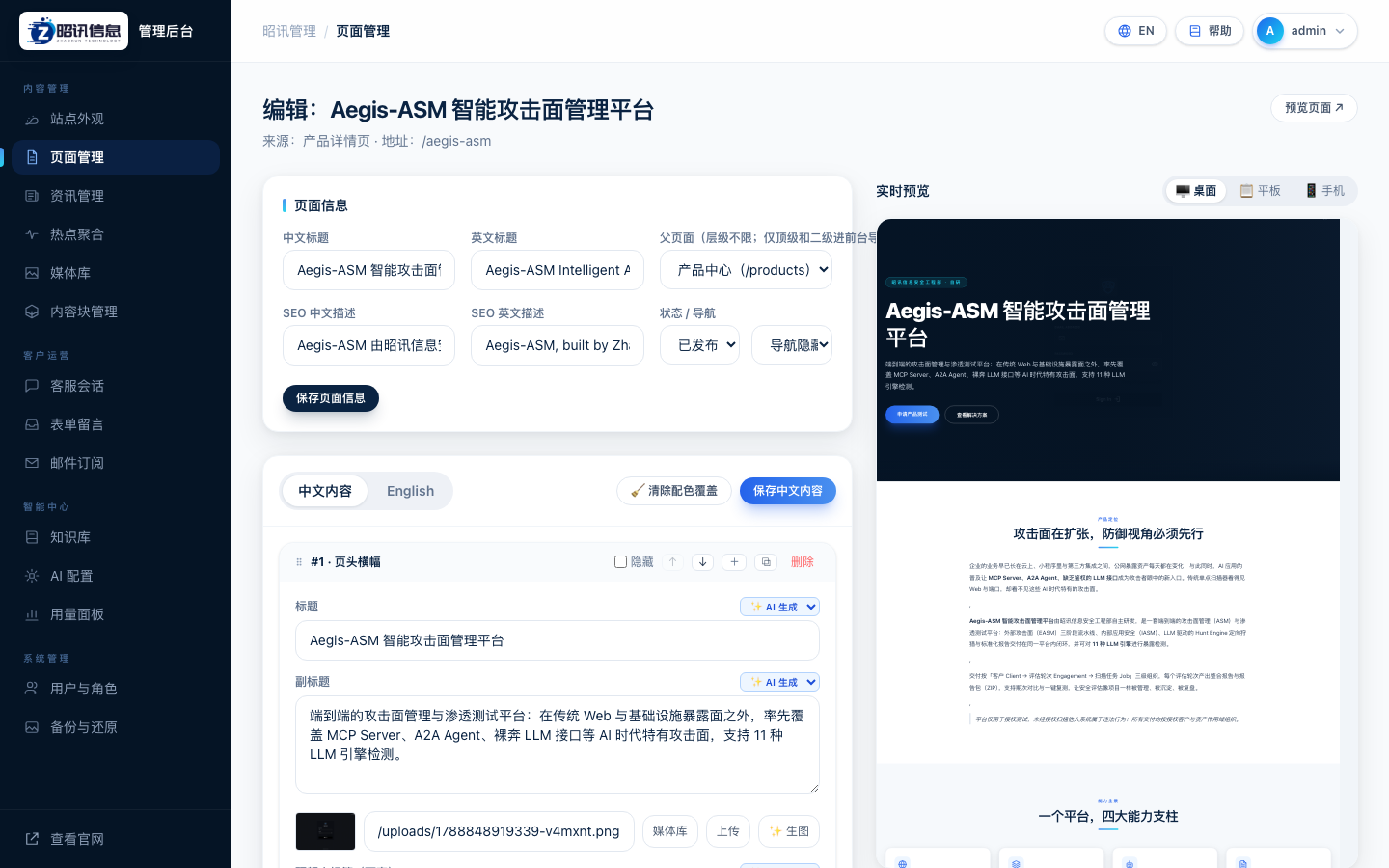
40 blocks in 7 groups, split-screen editor with live preview; start from templates, imports, or AI generation.
Built in-house by the Zhaoxun tech team · This site runs on the platform
Visual AI site builder + Chinese/English content management + AI customer service + trending news aggregation — all in one system. The site you're browsing right now is built and operated on it.
Product Positioning
Many companies treat their websites as one-off outsourcing projects: frozen layouts, redesigns that require a new quote, and content updates queued behind dev schedules, with no room for service or lead capture. The Zhaoxun Smart Website Builder puts the website back in your hands — pages, articles, layouts, and assets are all maintained visually, with Chinese and English managed in one place. Save, and it's live.
The platform embeds nine categories of AI tasks — smart page building, full-page and field-level translation, media-library image generation, news drafting, conversation QA, and more — each routed to a suitable large model with automatic fallback on failure. Let AI produce the first draft; humans review and finalize.
This isn't a concept demo: the site you're browsing — zhaoxuntec.com — from front-end pages and daily trend briefings to the admin console — is built and operated entirely on this platform.
Capabilities
40 blocks in 7 groups, split-screen editor with live preview; start from templates, imports, or AI generation.
RAG on a knowledge base, sources hidden from visitors; one-click AI QA, top answers recycled back into it.
Auto-fetched daily from 20 industry sources; AI curates and publishes, with auto English versions and email briefings.
Three-tier roles live instantly; AI config center, usage dashboard, dual-track backup & restore, keys always masked.
Platform at a Glance
Block cards on the left, full-page live preview on the right, with desktop, tablet, and mobile viewports. Click the preview to locate a card, click a card to scroll the preview; list-style blocks support item-level editing. Changes go live instantly after saving.
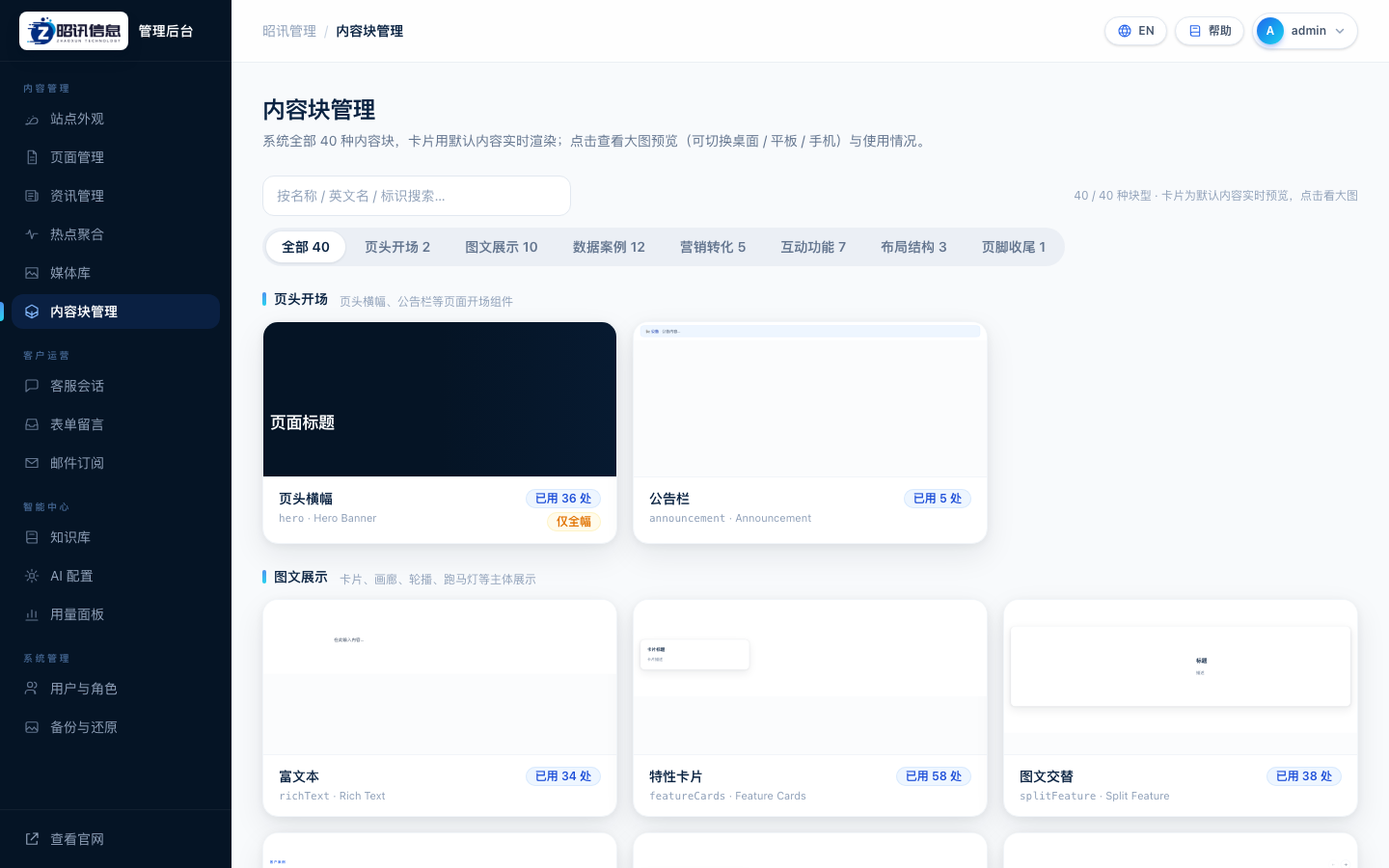
Seven groups: page header openers, image-text displays, data showcases, marketing conversion, interactive features, layout structures, and footer closers. Each block offers a live-rendered preview and usage stats — pick from the insert panel to add.
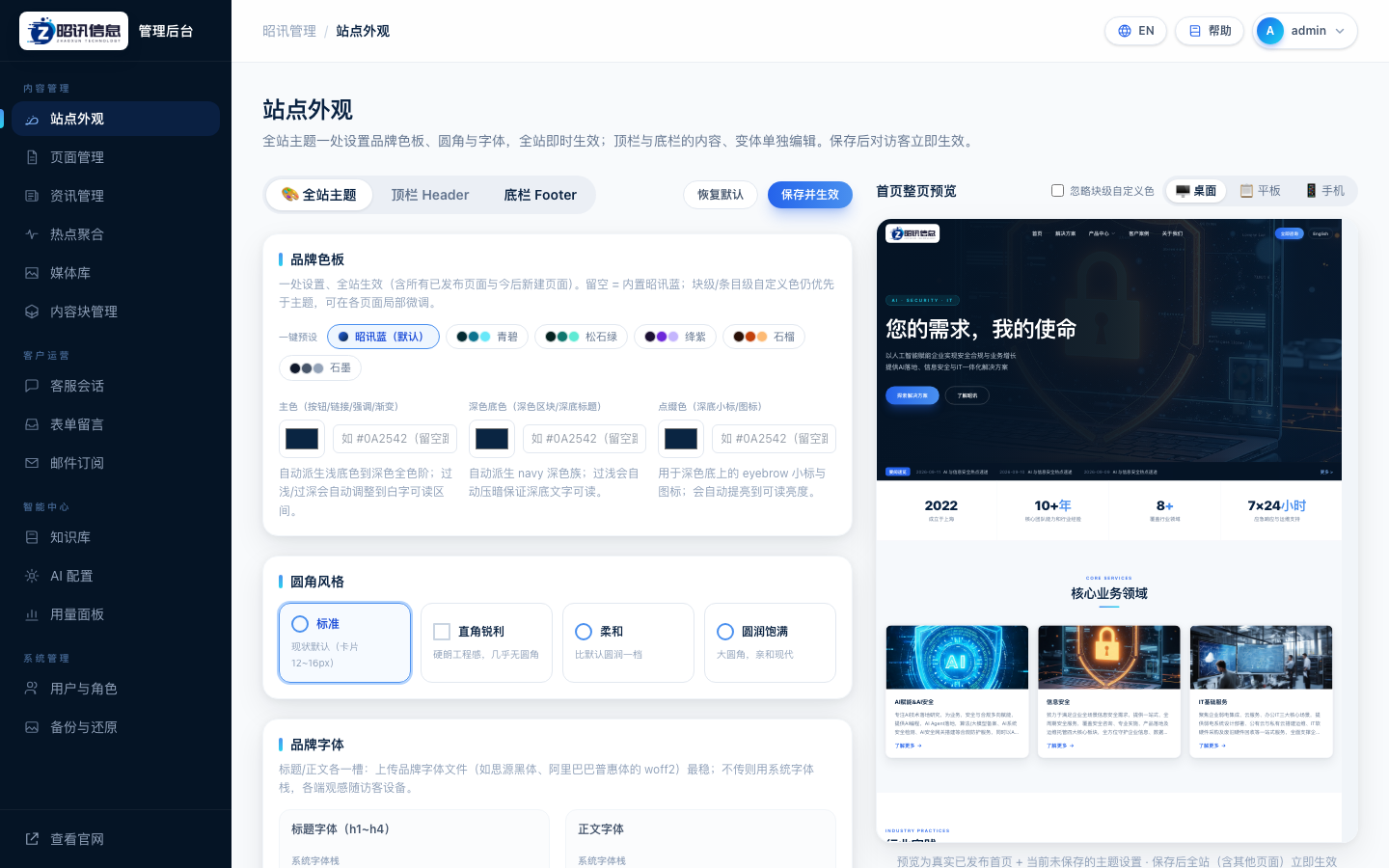
Unified brand color palette, border radius, and typography. Five header variants and four footer variants with thumbnail previews in real time. Every content block can also be individually configured for background, title, body, and accent colors.
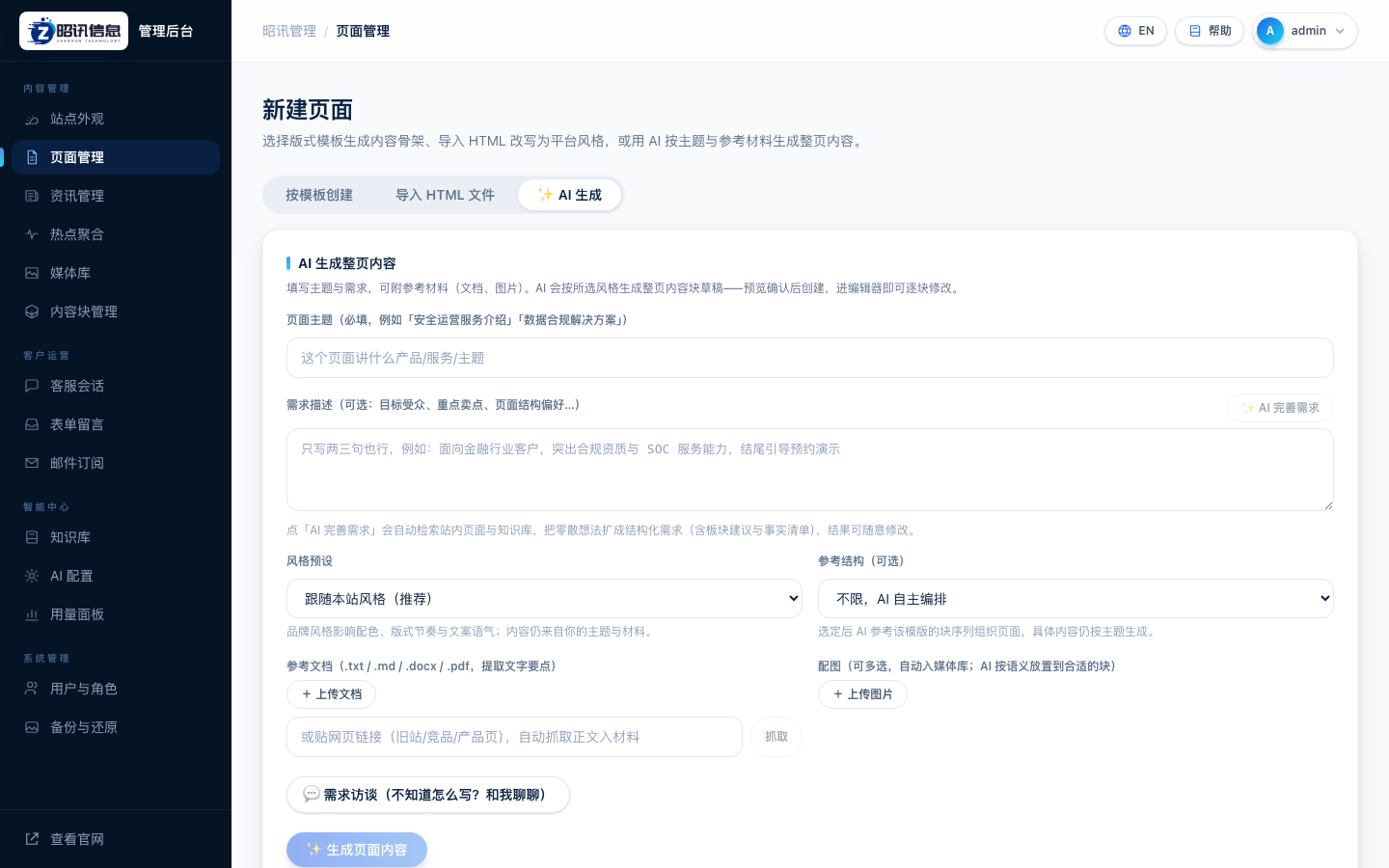
Enter a topic and brief; optionally attach reference files (txt/md/docx/pdf) and images. 70+ design styles, organized by category. After generation, automatic self-checks fix broken images, empty cards, and dead links. Need help writing the brief? The brief assistant can refine and expand it, simulate an interview, and pull reference webpages.
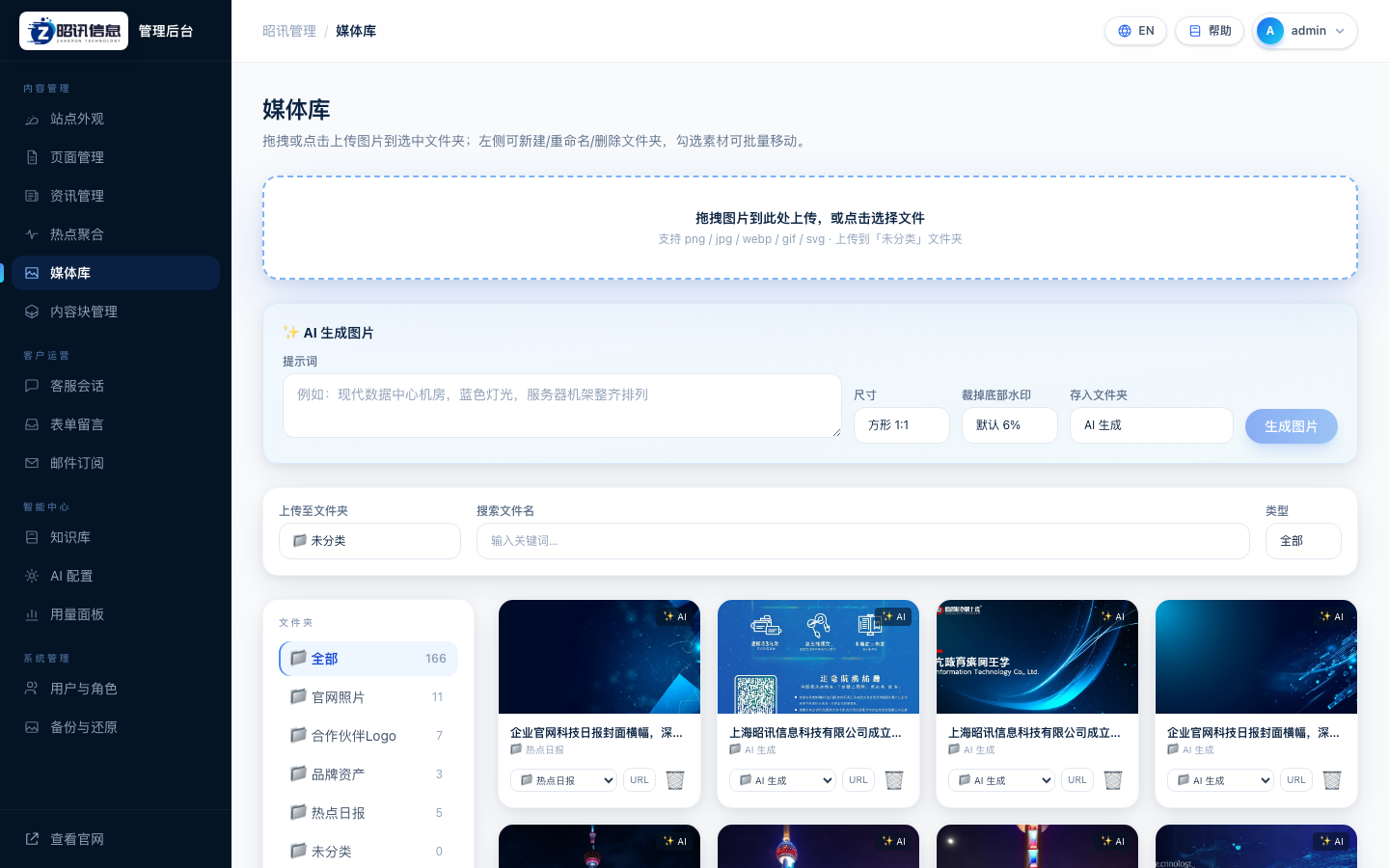
The media library centrally manages assets and folders. Enter a prompt to generate images in 7 sizes. Prompts are saved with each image for easy reuse and regeneration — keeping the visual style consistent across the site.

Save as draft or publish directly; the frontend renders instantly via SSR. Sitemap, robots, llms.txt, structured data, and Baidu active-push are all ready out of the box.
News and pages share one block editor: apply news templates, import legacy posts, or generate full articles with AI. AI summaries, English translation, categorization, and entry icons are all built in—publish straight to the live news feed.

Retrieval-augmented generation with no source exposure on the visitor side. The backend shows which entries each answer hit and the match score. One-click AI Review grades answers, generates improved versions, drafts new entries for unanswered questions, and exports a report. AI-built entries are saved as drafts and only join live answers after human review.
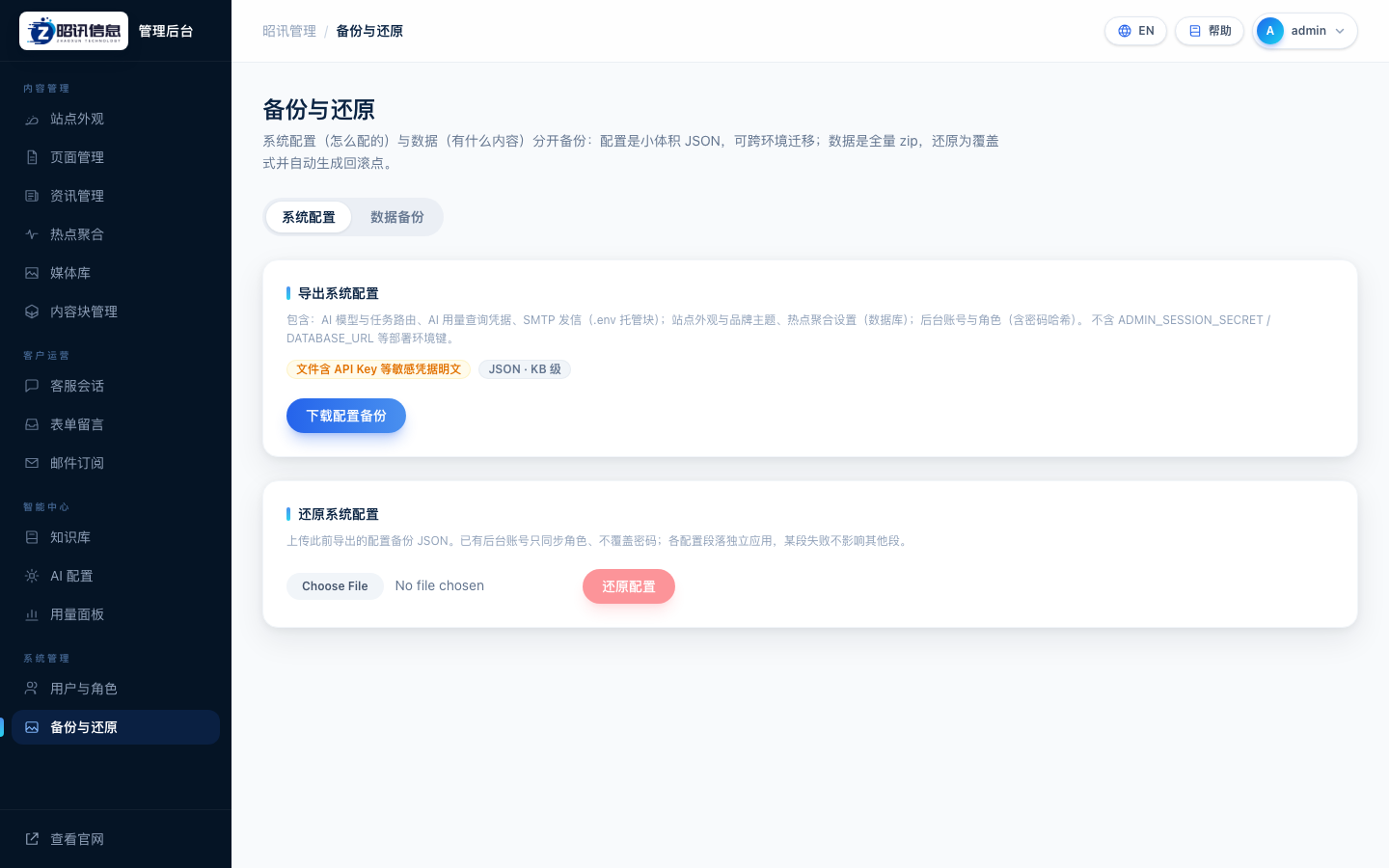
Two backup tracks: system config JSON and full-data ZIP. An auto rollback snapshot is generated before any overwrite restore, keeping the latest 5 snapshots. Three-tier roles with least-privilege, changes apply instantly. API keys are fully masked—plaintext is never exposed.
From model integration to deployment and ops, platform capabilities ready out of the box.
| Capability | Description |
|---|---|
| Visual Block Editor | 40 content blocks in 7 groups, split-screen live preview & entry-level editing, responsive across desktop / tablet / mobile |
| AI Task Matrix | 9 task types (page building, translation, image generation, copywriting, support, conversation analysis, etc.) routed to multiple models with auto-fallback |
| CN/EN Bilingual | Two independent block trees, one-click full-page translation + field-level refinement, English links auto-prefixed with /en |
| Permissions & Security | 3-tier roles (global / site / news) with 8 capabilities, changes apply instantly; API keys masked to the last 4 digits |
| Backup & Restore | System config JSON + full-data ZIP dual backup, auto rollback snapshot before overwrite restore, latest 5 retained |
| Tech Stack & Deployment | Next.js 15 SSR + React 19 + TypeScript + PostgreSQL / pgvector, Docker Compose one-click private deployment |
FAQ
Yes. The platform is shipped via Docker Compose (app + database + Caddy), using the same orchestration for dev and production. It runs on your own servers, with LLM API keys provisioned and controlled by you. All content data stays within your environment.
Chinese and English live as two independent block trees. Once the Chinese version is finalized, one click translates the entire page via AI to generate the English version. For fields you've already polished manually, field-level translation handles them separately without overwriting. English internal links automatically get the /en prefix—no manual upkeep needed.
The platform connects to multiple providers—Zhipu, MiniMax, Bailian, and more—via the OpenAI-compatible API. Nine AI task types are routed individually with automatic fallback on failure. Keys are managed by global admins in the AI configuration center; only the last four digits are shown on screen. The usage dashboard displays each provider's quota and reset countdown.
Yes. Upload a single HTML page or a full-site ZIP archive—AI converts it into content blocks and assigns a fidelity score. Images are auto-imported to the media library and relative paths are rewritten. Any conversion loss can be filled in with raw rich-text blocks, with fidelity scores shown at a glance.
Database and media files stay entirely within your deployment environment. Config and data are backed up on dual tracks; any overwriting restore triggers an automatic rollback snapshot. Three-tier roles enforce least-privilege access with full audit trails, and sensitive keys are masked throughout.
Marketing, brand, and IT leaders are welcome to book a product demo. Bring your real assets and walk through the full journey—from requirements to launch—on the spot.